Coming soon for Windows

Concertina

Every email. Every attachment. One PDF. Drop in an email and Concertina opens everything inside it, to any depth, and writes one PDF in reading order: the message, then each attachment, and when an attachment is itself an email, that email's attachments follow it.
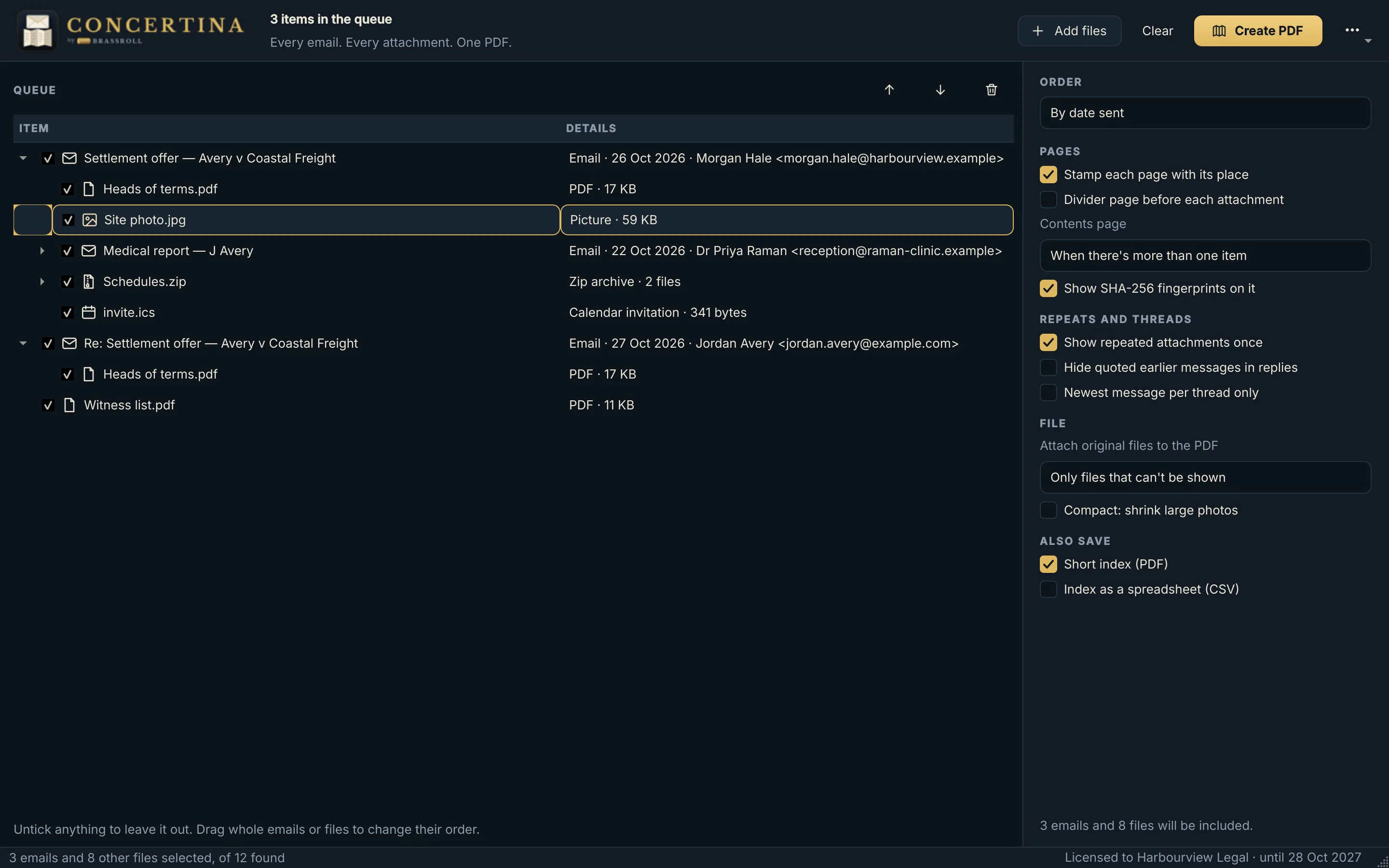
Concertina's queue: three emails shown as trees of their attachments, with options for ordering, page stamps and the contents page
Each email as a tree of everything inside it (fictional emails)

What it does

  • Opens everythingEmails (.eml, Outlook .msg and winmail.dat) and the emails attached to them; zips, PDFs, pictures, Word and office files, text, HTML and CSV; calendar invitations and contact cards as readable pages. Remote images are never fetched.
  • Takes many at onceDrop emails, files and whole folders, or drag messages straight from Outlook on Windows. On Windows you can also right-click files and choose Convert with Concertina.
  • Lets you checkEach email appears as a tree of everything inside it. Untick anything to leave it out, sort by date or subject, or drag into your own order.
  • Writes one PDFA thin band below every page gives its place in the bundle, added outside the page so it covers nothing. Bookmarks follow the tree, and a contents page lists everything with page numbers and a SHA-256 fingerprint of each file as received.
  • Keeps it short when askedRepeated attachments are shown once, quoted earlier messages can be hidden, large photos can be shrunk, and a short index can be saved on its own, as a PDF or a spreadsheet.
  • Loses nothingAnything that can't be shown, such as a password-protected PDF, gets a page saying why, and the original file is attached to the PDF.

Works offline: your emails never leave your computer. Send to Blackline opens the finished PDF in Blackline for redaction.
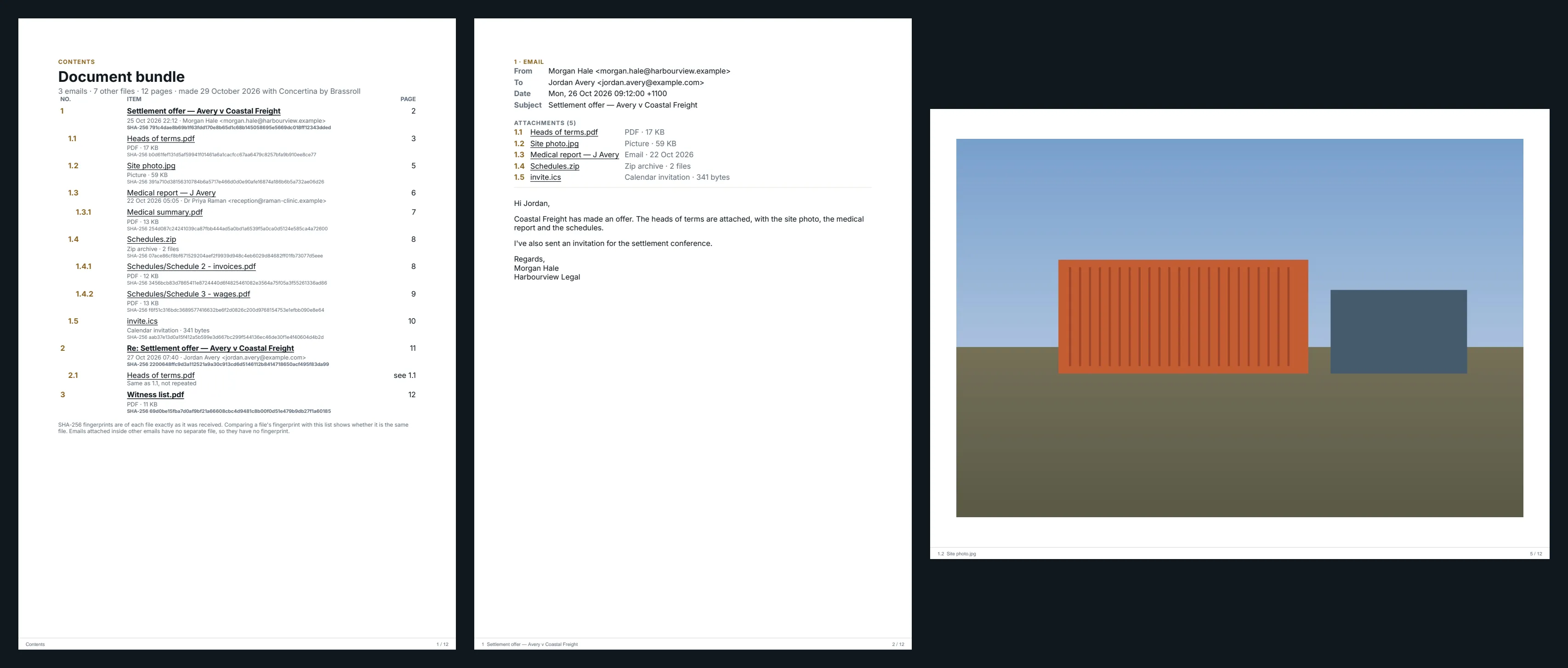
A closer look

Screens show fictional emails.

What it can't do

  • An Outlook message whose text is stored only in Outlook's own compressed format (RTF) is shown with a note instead of the text; the same applies to the text of winmail.dat files, though their attachments are opened.
  • The page stamps use a standard font, so characters outside Western European scripts show as "?" in the stamps. The email pages themselves show them correctly.
  • iPhone (HEIC) pictures are not shown in the released program; they are attached to the PDF as originals instead.
  • Hiding quoted messages relies on the markers common mail programs write; mail that marks quotes differently is left as it is.
  • Word and other office attachments need LibreOffice (free) or, on Windows, Microsoft Word installed; without one they are attached as originals.

Licences

Concertina is not on sale yet. Register your interest and we will email you when licences go on sale.

Licence keys are checked on your own computer, so Concertina keeps working without a connection. A key runs until its end date; when it ends, renew with a new key. Nothing you made with Concertina is affected.