Coming soon for Windows

Blackline

Redact it. Shred it. Prove it. A black box drawn over a PDF hides the words on screen, but they are usually still in the file, ready to be copied out. Blackline rebuilds every redacted page from pixels, so the text underneath is gone, strips hidden data from the whole file, then checks the result before you share it.
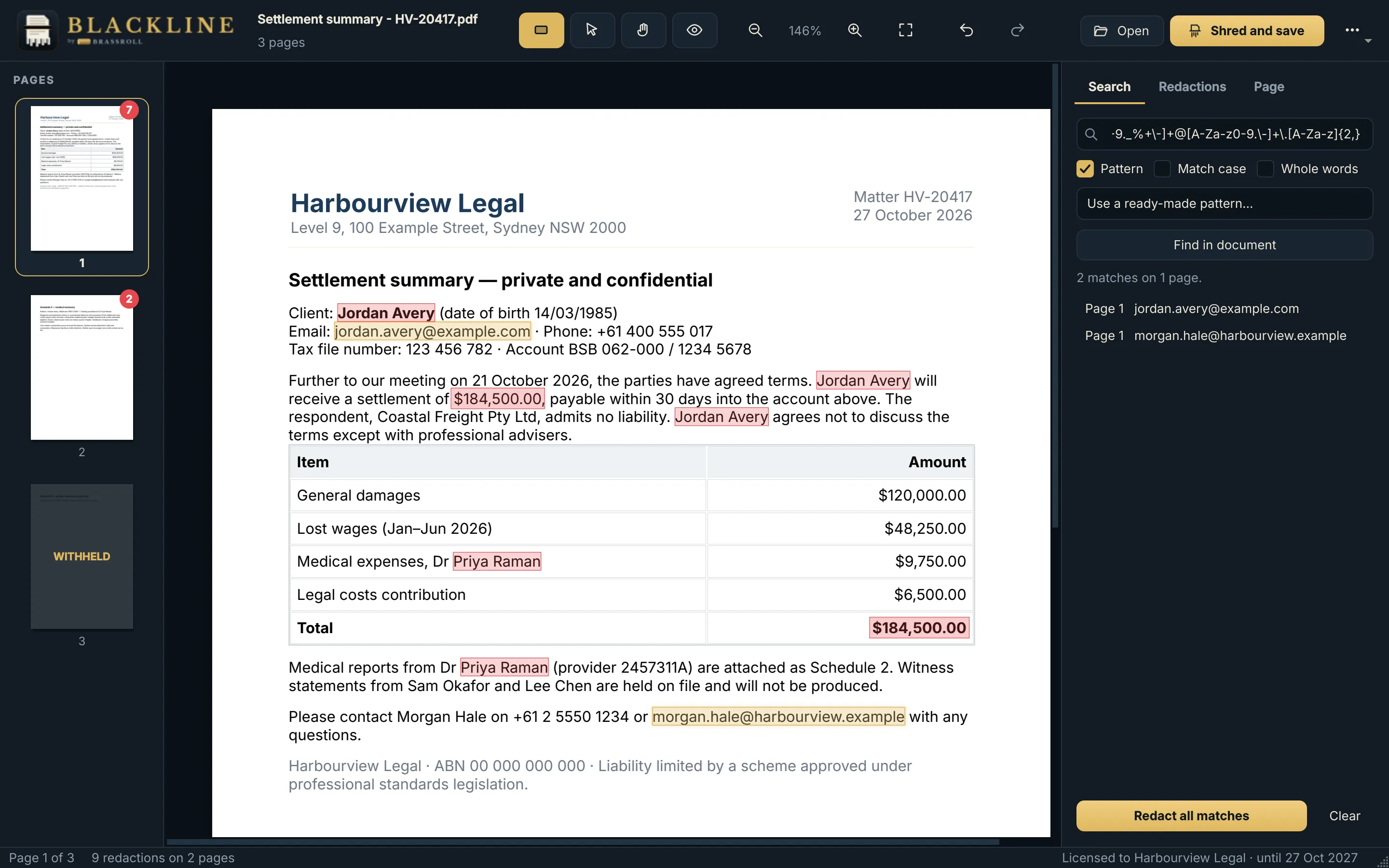
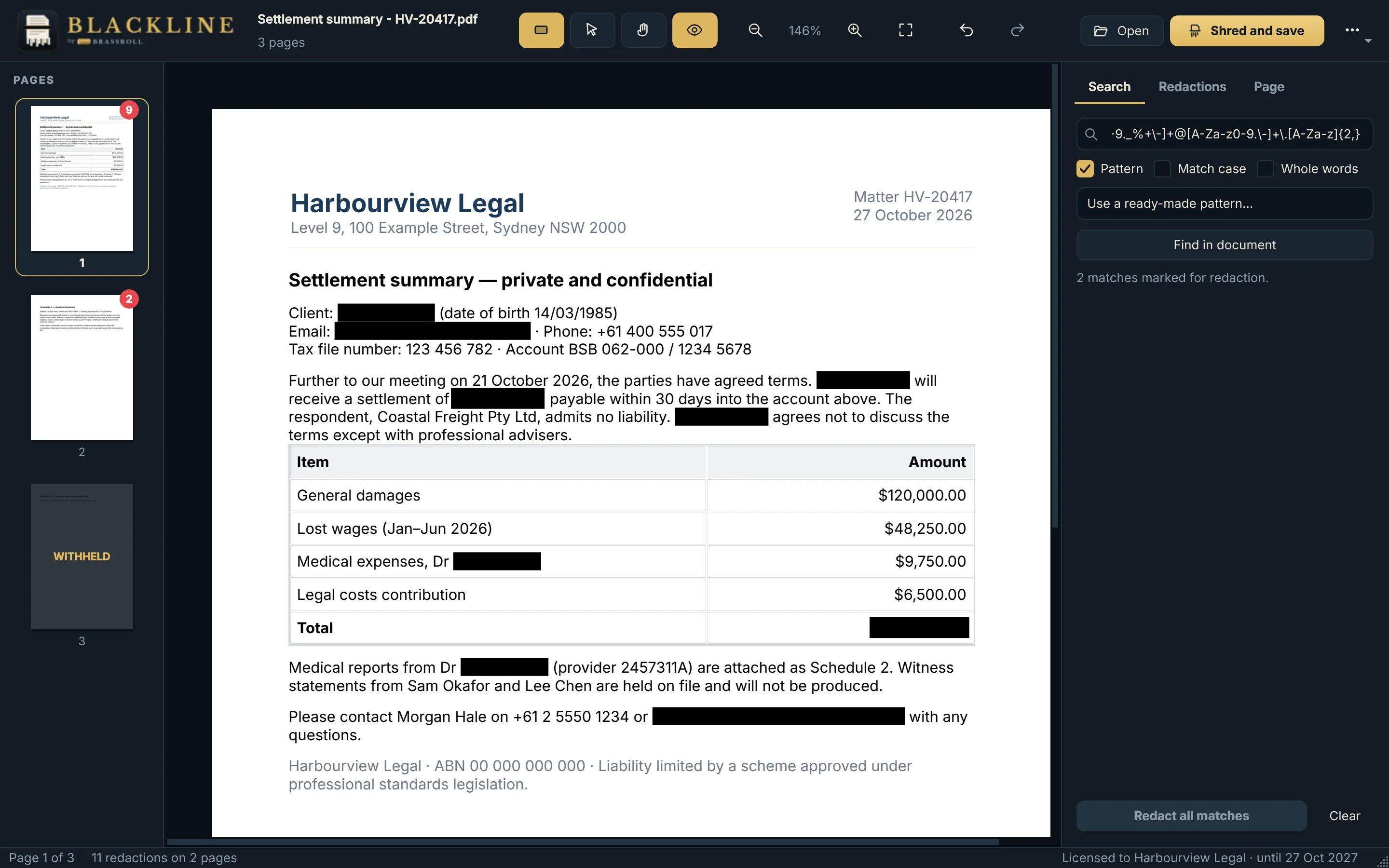
Blackline with a settlement summary open: names, an email address and amounts marked for redaction, and the search panel listing matches
Marking a document: boxes, and words found by search and patterns (a fictional document)

How it works

  • MarkOpen a PDF, Word or office file, email (.eml or Outlook .msg), picture or text file. Draw boxes, or search for words and patterns: ready-made patterns cover email addresses, phone numbers, card numbers, IBANs, Australian tax file numbers, dates and amounts. Withhold or remove whole pages.
  • ShredEvery page with a redaction is rebuilt from pixels at 300 dpi, with the boxes burned in. Its original text, fonts and images are not copied to the new file. Pages you don't mark keep their selectable text.
  • SanitiseHidden data is removed from the whole file: document information, comments, form fields, scripts, attachments, bookmarks, hidden layers, picture metadata and earlier saved versions.
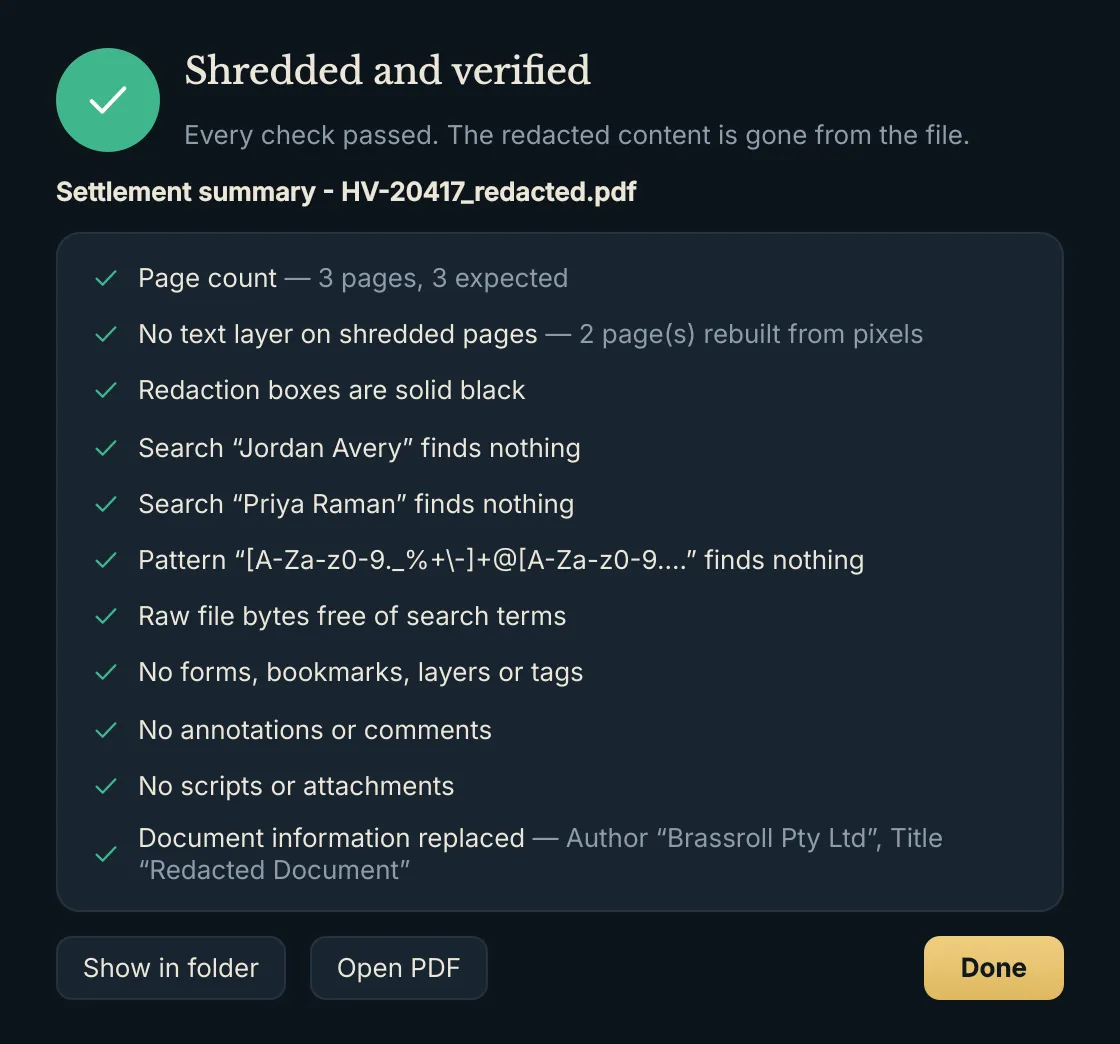
  • VerifyThe saved file is reopened and checked: no text on shredded pages, solid boxes, searched words gone from the text and the raw file, nothing forbidden left. You see a pass, warning or fail report.

The original file is never changed. Nothing is uploaded: Blackline makes no network connections.
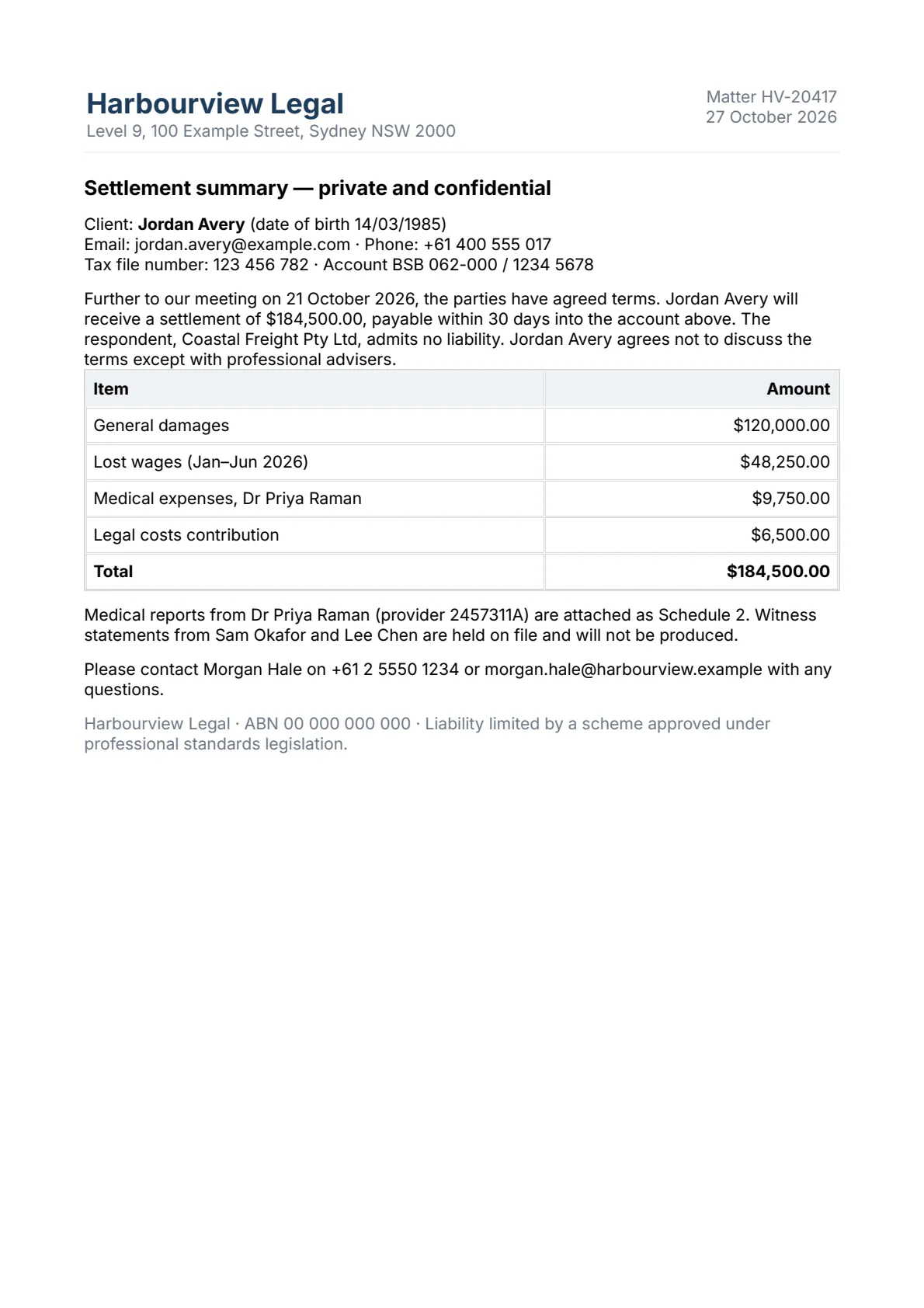
Before and after

A page of a fictional settlement summary with names and amounts visible
Before
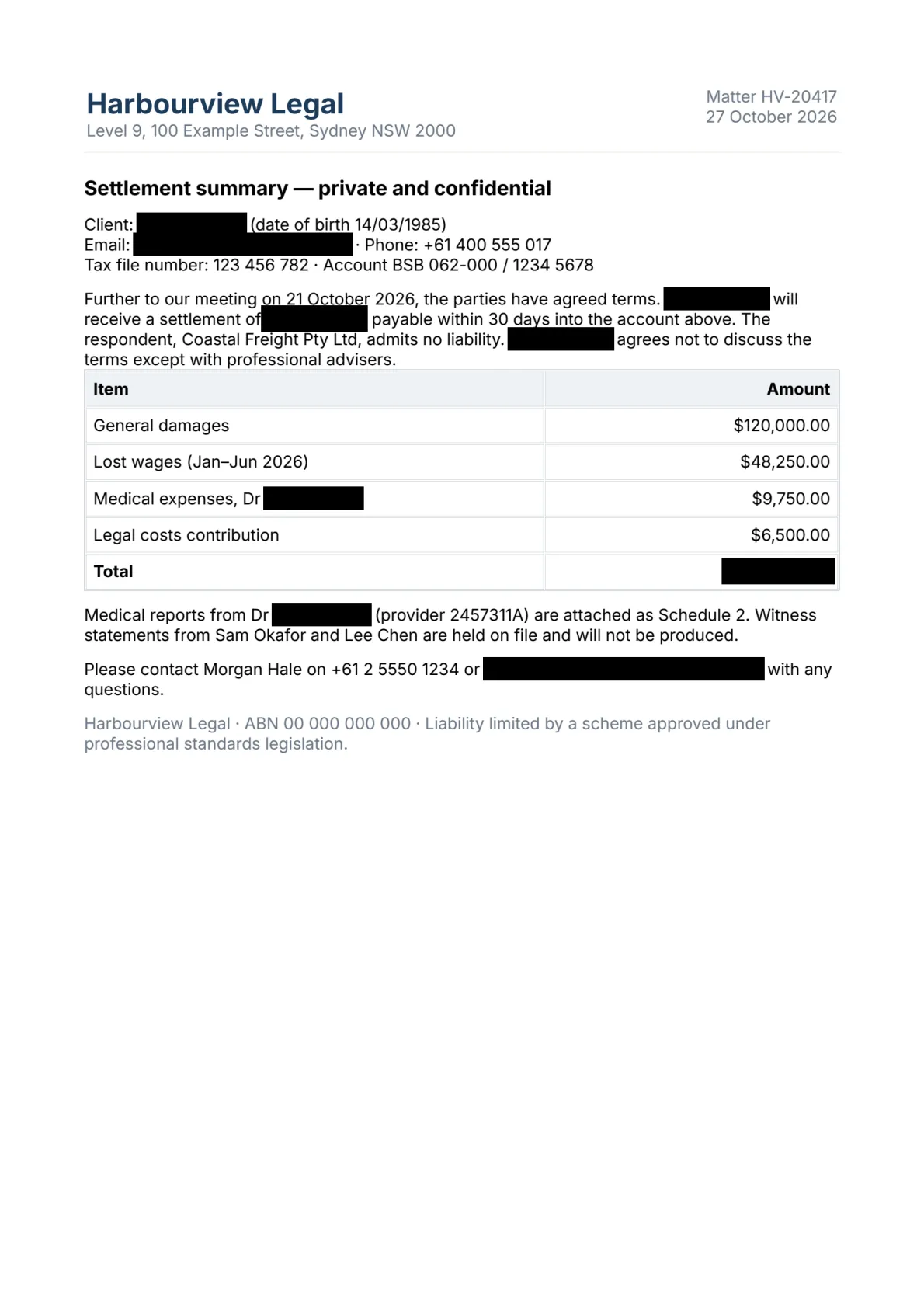
The same page after Blackline: the names and amounts replaced by solid black boxes
After: the redacted page is a picture, with nothing underneath the boxes

A closer look

Screens show a fictional document.

What it can't do

  • Redacted pages become pictures: their text can't be selected, and the file is larger than a text-only PDF.
  • Pages you don't mark are kept exactly as they are, including any text hidden on them. Search finds such text, and the check flags searched words that remain; to be certain, mark or withhold the page.
  • Search can't find words inside pictures or scans, because there is no text recognition (OCR). Draw boxes over such text by hand.
  • Word and other office files need LibreOffice (free) or, on Windows, Microsoft Word installed.
  • Blackline doesn't wipe the original file from your disk; keep or delete it as your own practice requires.

Blackline works with Concertina, which turns an email and all its attachments into one PDF ready to redact.

Licences

Blackline is not on sale yet. Register your interest and we will email you when licences go on sale.

Licence keys are checked on your own computer, so Blackline keeps working without a connection. A key runs until its end date; when it ends, renew with a new key. Nothing you made with Blackline is affected.